Last updated: 23 November 2026
TL;DR: Today we are launching CP100, Heicoders’ first course dedicated to Microsoft Copilot. Our goal is to help teams on Microsoft 365 make Copilot part of how work gets done, not a tool they open once in a while.
CP100 is a two-day, hands-on course on automating work with Microsoft Copilot. You learn to apply Microsoft 365 Copilot to real workflows, from everyday documents to custom agents and multi-step automation. We built it from two years of running customised Copilot programmes for our corporate clients, and we will keep updating it as Copilot evolves.
CP100 is a public course any professional can join, and also a base we can use to customise for corporate teams. Eligible learners may be supported by the SWDA subsidy (formerly SSG), SkillsFuture Credit, and SkillsFuture Enterprise Credit (SFEC), subject to eligibility. You can see upcoming dates and sign up on the Automating Work with Microsoft Copilot and AI Agents (CP100) course page.
CP100 at a Glance
The table below sets out the key course details.
| Detail | CP100 |
|---|---|
| Course title | Automating Work with Microsoft Copilot and AI Agents (CP100) |
| Course reference number | TGS-2026066928 |
| Duration and format | Two full days (12 hours in total), classroom |
| Coding needed | None |
| Copilot access | Provided for the Microsoft 365 Copilot features used in class |
| Full course fee | S$1,308.00 (incl. GST) |
| Fee after SWDA subsidy (formerly SSG) | From S$468.00, subject to eligibility* |
| Who it is for | Professionals whose organisations run on Microsoft 365 |
*The lowest fee applies to eligible Singapore Citizens aged 40 and above. See Fees and Funding below.
What Will You Learn in CP100?
CP100 takes you from your first Copilot prompt to your first automated workflow in two days. It covers four areas:
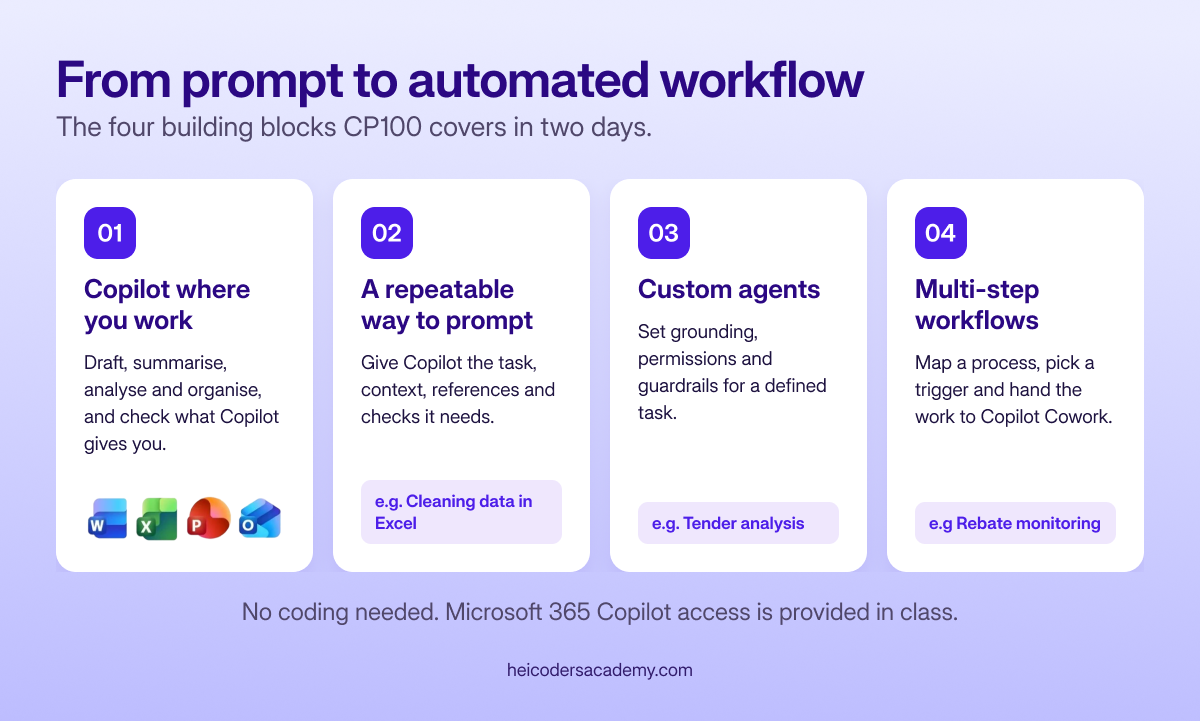
Copilot where you already work. Use Copilot to draft, summarise, analyse, and organise in Word, Excel, PowerPoint, Outlook, OneDrive, and Edge. You learn what Copilot does well, where its limits are, and how to check what it gives you.
A repeatable way to prompt. Learn a structured method that gives Copilot the task, context, references, and checks it needs. You apply it to practical work such as cleaning data in Excel, building slides in PowerPoint, and managing email in Outlook.
Custom agents for defined tasks. Build custom Copilot agents for specific jobs such as tender analysis and vendor comparison. You set up their grounding, permissions, and guardrails so each agent works only with the information it needs.
Multi-step workflows with Copilot Cowork. Map a business process, choose a trigger, and hand multi-step work to Copilot. You practise on cases such as customer-rebate monitoring and regulatory-compliance monitoring, and learn to manage reliability, security, and cost.
No coding is needed. We provide access to the Microsoft 365 Copilot features used in class.
Why Are We Building CP100?
Over the past few years, we have run generative AI training across more than 300 organisations, from multinationals to SGX-listed companies. Many of them run on Microsoft 365, and their teams asked us for Copilot training specifically. So we built customised Copilot programmes for them, and we have conducted them for two years.
Those runs showed us something useful. Teams rarely struggle to find Copilot. They struggle to fit it into the work they do every week.
Copilot itself has also changed a great deal in recent months. Custom agents and Copilot Cowork now let teams hand over multi-step work instead of single prompts. We think it is the right time to give Copilot a course of its own.
How Is CP100 Different?
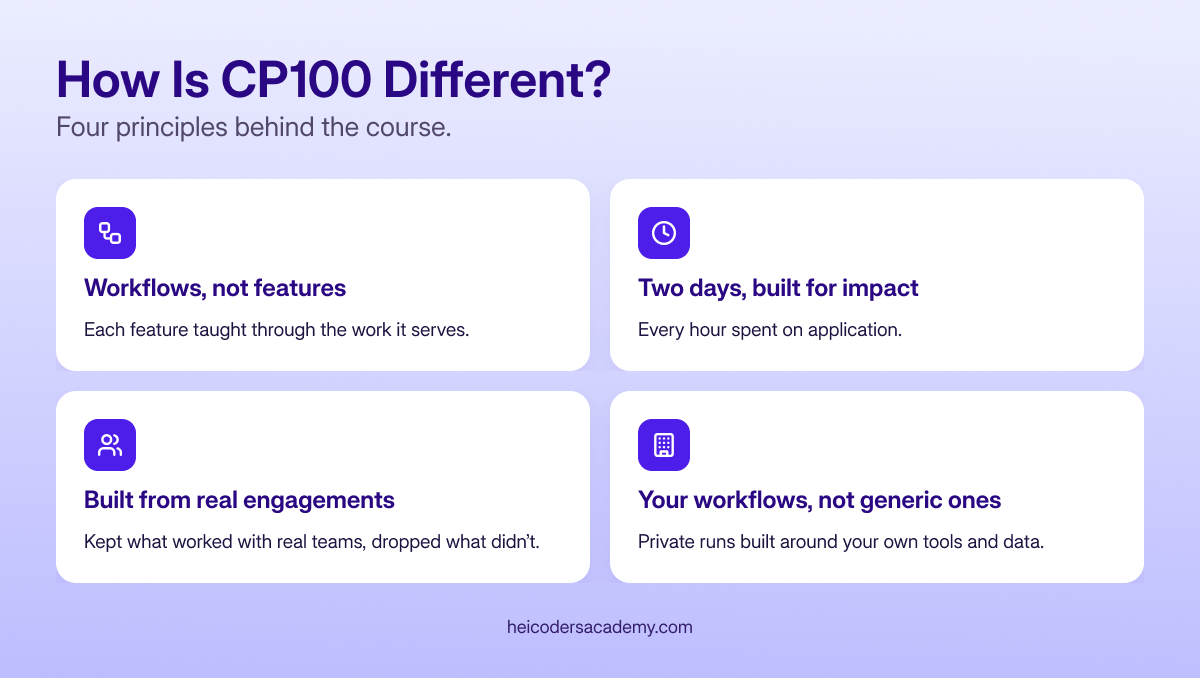
CP100 is built around the work your team already does, not around Copilot’s feature list.
- Workflows, not features. We teach each feature through a real task, such as the monthly report, the vendor comparison, or the approval chain.
- Two days, built for impact. We kept CP100 to two days because many of our corporate clients find it hard to release staff for longer than that. A short course only works if every hour counts, so CP100 spends its time on application. Learners leave having built agents and planned workflows on real cases.
- Built from real engagements. Every module comes from two years of customised Copilot programmes for our corporate clients, keeping only what worked with real teams.
- Your workflows, not generic ones. Companies with enough learners can book a private run, with cases customised around their own tools, data, and processes.
Fees and Funding
The full course fee is S$1,308.00, including GST, before subsidies. With the SWDA subsidy (formerly SSG), eligible Singapore Citizens aged 40 and above pay S$468.00. Eligible Singapore Citizens aged 21 to 39 and PRs aged 21 and above pay S$708.00.
You may be able to use SkillsFuture Credit or PSEA towards the remaining fee. Employers training a team may be able to use the SkillsFuture Enterprise Credit (SFEC). All funding is subject to eligibility. To see what you may be able to put towards the fee, try our subsidy calculator, or WhatsApp us.
Frequently Asked Questions About CP100
What is CP100?
CP100, Automating Work with Microsoft Copilot and AI Agents, is a two-day, hands-on course by Heicoders Academy. It teaches you to use Microsoft 365 Copilot across everyday apps, write structured prompts, build custom Copilot agents, and plan multi-step workflows with Copilot Cowork.
Do I need a Microsoft 365 Copilot licence to join?
No. Heicoders Academy provides access to the Microsoft 365 Copilot features used in class. You need your own laptop and comfort with everyday Microsoft 365 apps.
Do I need coding experience for CP100?
No coding is needed. CP100 is built for working professionals in business functions, not developers.
Should I take CP100 or GA100?
Choose CP100 if your organisation runs on Microsoft 365 and you want to get more out of Copilot. If your team uses other AI tools, such as ChatGPT or Manus, the Generative AI Course for Automation and Productivity (GA100) may suit you better.
Can my company run CP100 for its own team?
Yes. Companies with enough learners can book a private run, with cases customised around their own tools, data, and processes.
How much does CP100 cost, and can I use SkillsFuture?
The full fee is S$1,308.00, including GST. After the SWDA subsidy (formerly SSG), eligible learners pay S$468.00 or S$708.00 depending on age and citizenship. You may be able to use SkillsFuture Credit or PSEA towards the remaining fee, subject to eligibility.
Start with CP100
Copilot is most useful when it fits into the work you already do, and that takes structured practice on real tasks. CP100 is built for professionals on Microsoft 365 who want to move from occasional prompts to agents and workflows they can rely on. Explore the Automating Work with Microsoft Copilot and AI Agents (CP100) course and build your first automated workflow in two days.
About Kong Yu Ning
Kong Yu Ning is Co-Founder, Chief of Growth and Principal Instructor at Heicoders Academy. He leads the academy’s growth and corporate training partnerships. Before Heicoders, he was Product Director at OKX. He holds a Master of Management Science and Engineering from Columbia University.
SkillsFuture Singapore (SSG) and Workforce Singapore merged on 1 July 2026 to form the Skills and Workforce Development Agency (SWDA). Subsidy amounts are subject to eligibility, approval, and prevailing SWDA terms, which may change. Heicoders Academy does not determine eligibility or approve funding. All Singaporeans aged 25 and above can use their $500 SkillsFuture Credit from the government to pay for a wide range of approved skills-related courses. Visit MySkillsFuture (at www.myskillsfuture.gov.sg) to choose from the courses available on the website. Use of PSEA and SFEC is subject to each scheme’s own eligibility criteria and terms.
Microsoft, Microsoft 365 and Copilot are trademarks of the Microsoft group of companies. Heicoders Academy is an independent training provider and is not affiliated with or endorsed by Microsoft.