Last updated: 30 October 2026. Plans and features change often, so check each provider’s official page before subscribing.
ChatGPT Plus, Google AI Pro and Manus AI all cost roughly the same each month, and all three promise to save you time. They’re built for different kinds of work, though. Choosing the wrong one means paying for features you won’t use while missing the ones you need.

This guide compares the three tools by how you actually work. It explains what each one does well, where each falls short and which roles each tends to suit. It also covers two other options, Microsoft 365 Personal and Singtel AI Pass, and what to consider if you’re choosing a tool through the SkillsFuture AI Subscription.
A note on transparency: Heicoders Academy is the official training partner of Manus AI. We’ve aimed to keep this comparison balanced, including Manus’s limitations alongside its strengths.
The Short Answer
If you only read one section, read this one:
- Choose ChatGPT Plus if you want an all-round AI assistant for writing, analysis, brainstorming and everyday problem-solving, whatever apps you use.
- Choose Google AI Pro if your work already happens in Gmail, Google Docs, Sheets and Drive, and you want AI built into those apps.
- Choose Manus AI if you want to hand off whole multi-step tasks, such as research reports, slide decks or simple websites, and get a finished output back.
The rest of this guide explains why, and how to decide if your work doesn’t fit neatly into one category.
Assistant or Agent? The Key Difference
The biggest difference between these tools isn’t the AI model behind them. It’s how you work with them.
ChatGPT Plus and Google AI Pro are mainly assistants. You work with them in a back-and-forth conversation. You ask, review the answer and refine it step by step. Both have added agent-style features, but their core strength is helping you think, write and analyse.
Manus AI is mainly an agent. You describe a goal, and it plans the steps and carries them out on its own, browsing the web, analysing files and building outputs. Then it returns a finished result. You spend less time steering and more time reviewing.
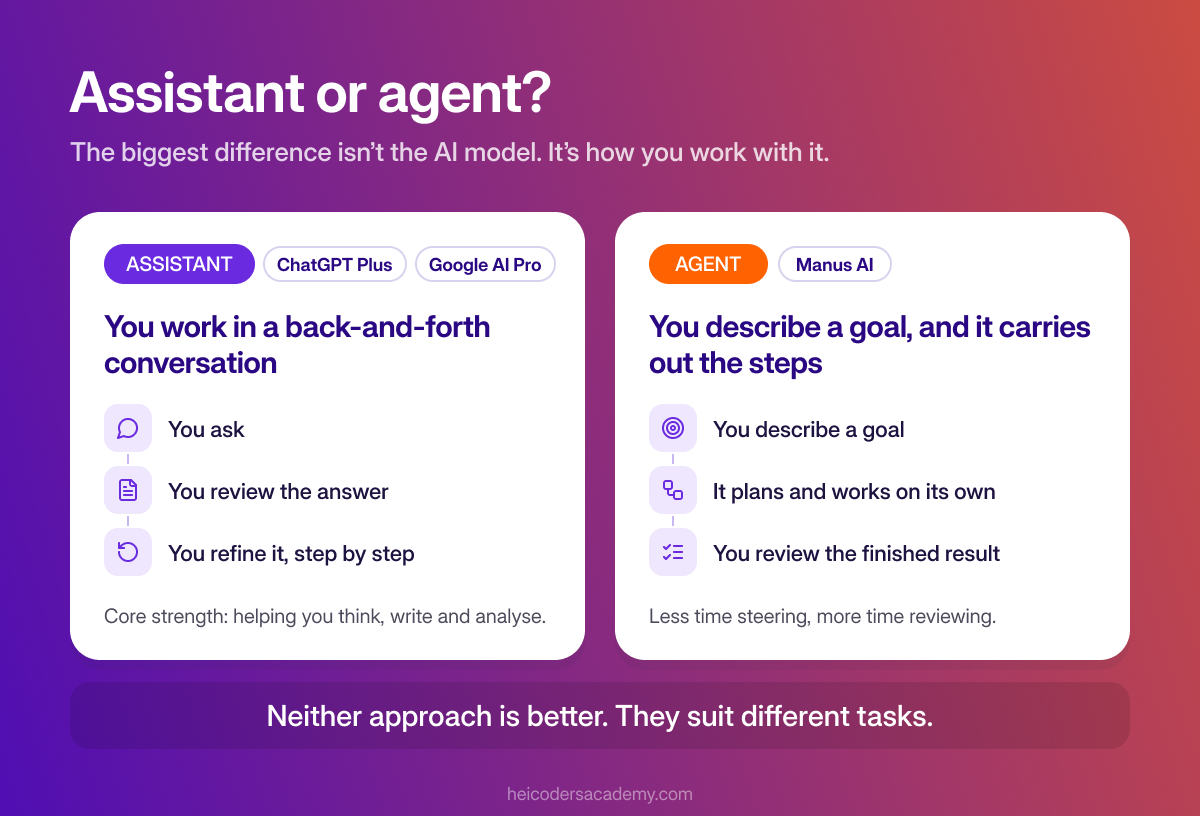
Neither approach is better. They suit different tasks. Our explainer on AI agents vs traditional automation goes deeper into how agents work.
Side-by-Side Comparison
The table below compares the three tools on the points that matter most for work.
| ChatGPT Plus | Google AI Pro | Manus AI | |
|---|---|---|---|
| Type of tool | AI assistant with agent features | AI assistant built into Google’s apps | Autonomous AI agent |
| Best for | Writing, analysis, research, brainstorming | Work done in Gmail, Docs, Sheets and Drive | Handing off multi-step tasks end to end |
| Standout features | Deep research, file analysis, image generation, voice, custom GPTs | Gemini inside Google apps, NotebookLM, Deep Research, cloud storage | Wide Research, slide and website generation, scheduled tasks, app connectors |
| How usage is measured | Usage limits per feature | Usage limits per feature | Monthly credits that tasks use up |
| Base price | USD 20 per month | USD 19.99 per month | Paid plans from about USD 20 per month |
| Main watch-out | You still steer most tasks step by step | Most useful if you already work in Google’s apps | Complex tasks can use up credits quickly |
Base prices are the providers’ US dollar list prices before GST. Prices in Singapore may differ, so check the official pricing pages for ChatGPT, Google AI plans and Manus.
ChatGPT Plus: The All-Round Assistant
ChatGPT Plus is OpenAI’s paid personal plan. It gives you higher usage limits than the free version, plus fuller access to features such as deep research, file uploads and analysis, image generation, voice conversations and custom GPTs.
What it does well: ChatGPT Plus is flexible. It handles a wide range of everyday work, from drafting emails and reports to analysing spreadsheets, summarising long documents and talking through a problem. Because it isn’t tied to one set of apps, it works whatever tools your company uses.
Where it falls short: for most tasks, you’re still the one steering. Multi-step work usually means a series of prompts and reviews. It also doesn’t sit inside your email or documents the way an integrated tool does, so you’ll often copy content in and out.
It fits best if: you want one flexible tool for writing, thinking and analysis, and you work across a mix of apps.
Google AI Pro: AI Inside the Apps You Already Use
Google AI Pro is Google’s paid personal AI plan. It gives you higher access to Google’s Gemini models, AI features inside Gmail, Docs, Sheets and other Google apps, higher limits in NotebookLM, and Deep Research. It also comes bundled with Google One cloud storage.
What it does well: the main advantage is integration. You can draft emails in Gmail, write and edit in Docs and analyse data in Sheets without switching tools. NotebookLM is especially useful for working with your own documents: you add sources, and it answers questions and builds summaries grounded in them. The bundled storage also adds value if you’d pay for it anyway.
Where it falls short: much of the value depends on how much you use Google’s apps. If your work runs on Microsoft Office or other tools, many of the integrated features won’t help you day to day.
It fits best if: your work already lives in Gmail, Docs, Sheets and Drive, or you regularly work with large sets of documents.
Manus AI: An Agent That Completes Tasks
Manus AI is a general-purpose AI agent. Instead of answering one prompt at a time, it works through a task on its own in a cloud environment: researching, analysing data, writing and building outputs such as slide decks and websites. Its Wide Research feature runs many research threads in parallel for large research jobs. It can also connect to apps such as Gmail, Google Drive, Notion, Slack and Canva.
What it does well: Manus suits work you’d rather delegate than do yourself. Examples include compiling a market scan, producing a first-draft slide deck from a brief or building a simple website. You can watch it work and step in if needed, but the aim is a finished output with less back-and-forth.
Where it falls short: Manus uses a credit system, and every action the agent takes uses credits. Larger or loosely defined tasks can use up a monthly allowance quickly. For quick questions or short pieces of writing, an assistant is usually faster and more economical. As with any agent, you need to check its outputs carefully before using them.
It fits best if: you regularly do multi-step tasks, such as research, reports, presentations or simple web pages, that you’d like to hand off and review rather than build step by step.
Which Tool Fits Your Role?
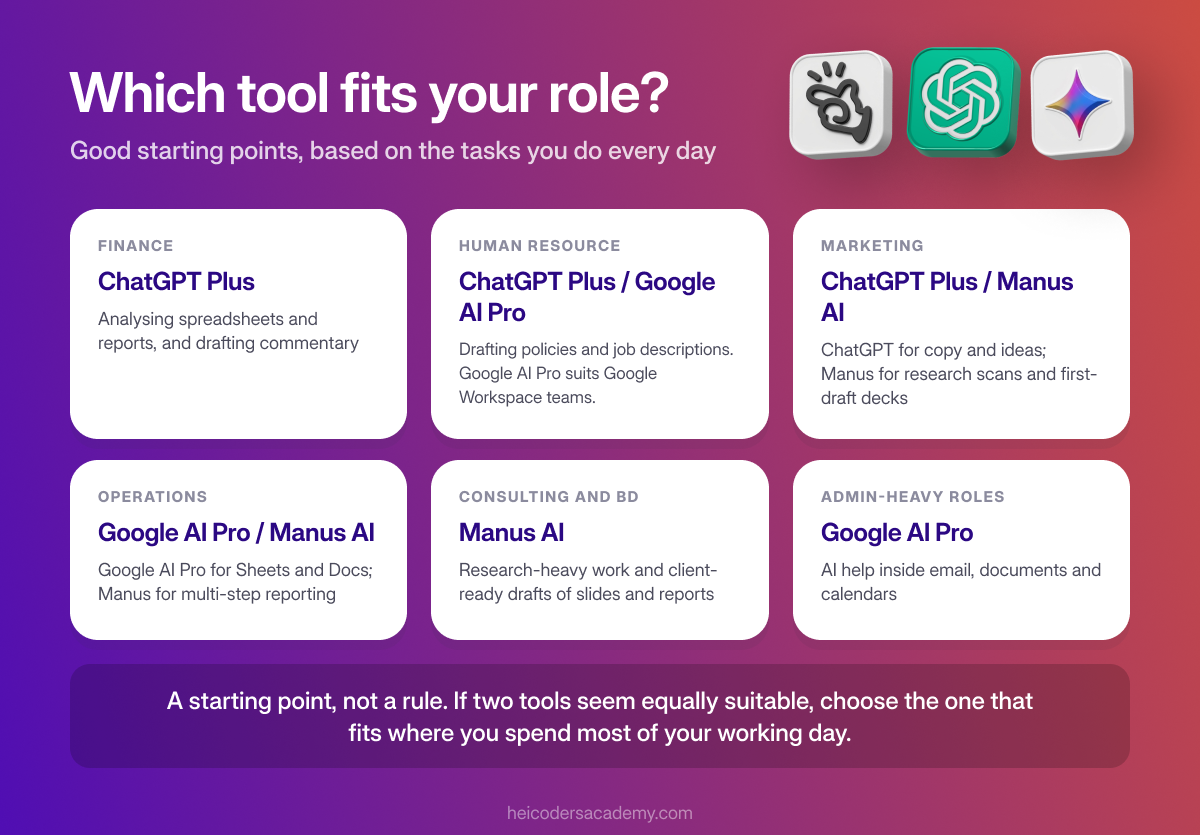
The right tool depends more on your daily tasks than your job title. As a starting point, here’s how the tools tend to match common roles:
| Role | Good starting point | Why |
|---|---|---|
| Finance | ChatGPT Plus | Flexible analysis of spreadsheets and reports, and drafting commentary |
| HR | ChatGPT Plus or Google AI Pro | Drafting policies and job descriptions. Google AI Pro suits teams on Google Workspace. |
| Marketing | ChatGPT Plus or Manus AI | ChatGPT for copy and ideas; Manus for research scans and first-draft decks |
| Operations | Google AI Pro or Manus AI | Google AI Pro for work in Sheets and Docs; Manus for multi-step reporting tasks |
| Consulting and business development | Manus AI | Research-heavy work and client-ready drafts of slides and reports |
| Admin-heavy roles | Google AI Pro | AI help inside email, documents and calendars |
If two tools seem equally suitable, choose the one that fits where you spend most of your working day.
For role-specific examples, see our guides to AI prompts for marketing and comms professionals and AI prompts for operations and project management professionals.
Other Options: Microsoft 365 Personal and Singtel AI Pass
Two other tools are worth knowing about, especially if you’re choosing through the SkillsFuture AI Subscription:
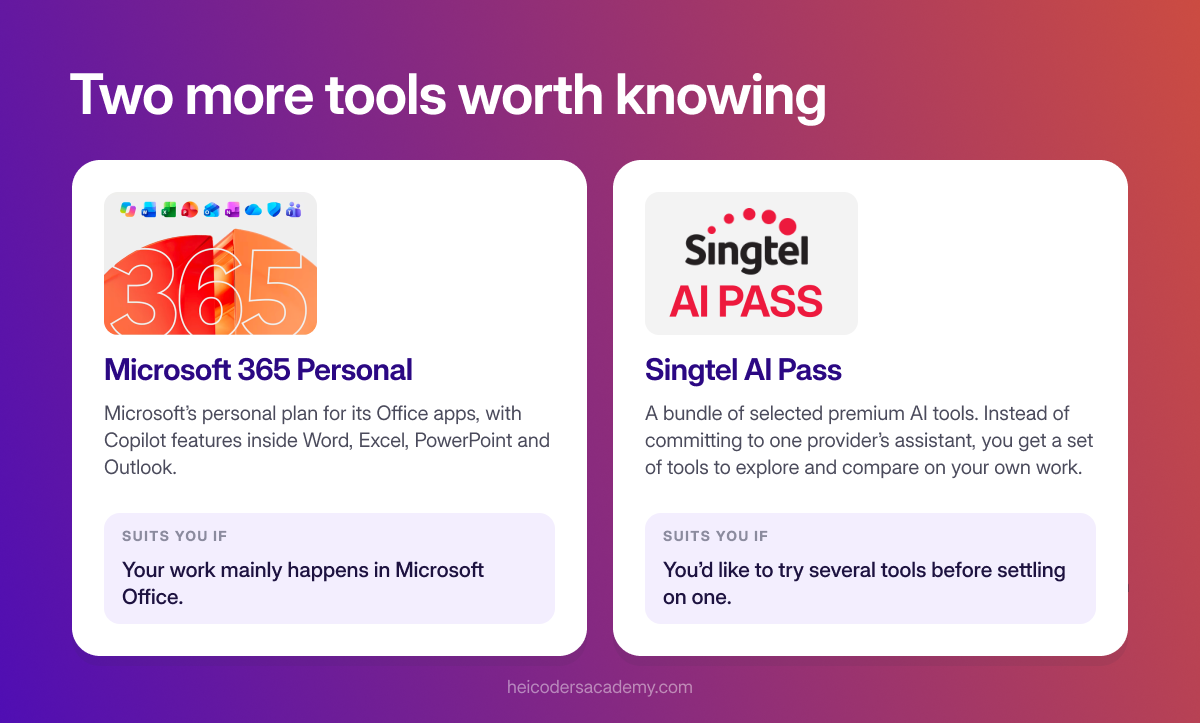
- Microsoft 365 Personal: Microsoft’s personal plan for its Office apps, including Copilot features inside apps such as Word, Excel, PowerPoint and Outlook. It suits you if your work mainly happens in Microsoft Office.
- Singtel AI Pass: a bundle of selected premium AI tools from Singtel. Under the SkillsFuture AI Subscription, learners can explore the full set of tools for three months, then choose one to keep using for a further three months. It suits you if you’d like to try several tools before settling on one.
Choosing Through the SkillsFuture AI Subscription
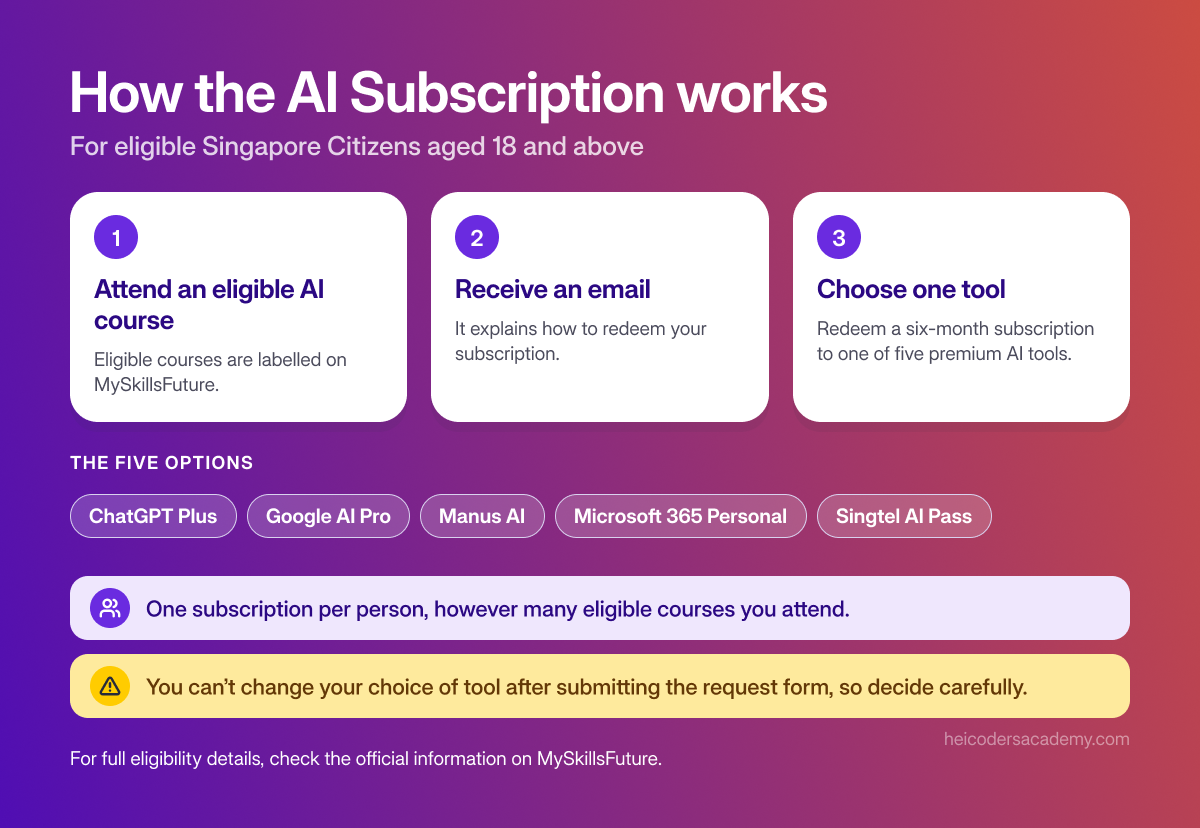
The SkillsFuture AI Subscription lets eligible Singapore Citizens aged 18 and above redeem a six-month subscription to a premium AI tool after attending an eligible AI course. The five options are ChatGPT Plus, Google AI Pro, Manus AI, Microsoft 365 Personal and Singtel AI Pass. Eligible courses are labelled on MySkillsFuture.
A few points to keep in mind:
- Each person can redeem only one subscription, however many eligible courses they attend.
- After attending an eligible course, you’ll receive an email explaining how to redeem.
- You can’t change your choice of tool after submitting the request form, so decide carefully.
Use the same question as the rest of this guide: where does most of your work happen? If you’re unsure, it can help to choose a tool you’ve practised with during your course, so you can build on what you learned.
For full eligibility details, check the official information on MySkillsFuture.
Information on the SkillsFuture AI Subscription is for general reference only. The scheme is administered by SWDA, and eligibility and terms are subject to change. Heicoders Academy does not determine eligibility. Please check MySkillsFuture for the latest details.
How to Get More From Whichever Tool You Choose
The tool matters less than how you use it. These habits help with all of them:
- Start with two tasks. Pick two frequent, time-consuming tasks and use the tool on them every week, rather than trying everything at once.
- Set up context features. Use custom instructions, projects or saved preferences so the tool understands your role and how you like outputs formatted.
- Check every important output. Verify facts, figures and sources before sharing anything, especially work produced by an agent.
- Protect sensitive information. Personal subscriptions aren’t designed for confidential company or client data. Follow your employer’s AI policy on which tools and data you can use.
Frequently Asked Questions About ChatGPT Plus, Google AI Pro and Manus AI
Which AI tool is best for work?
It depends on how you work. ChatGPT Plus suits flexible writing and analysis across any apps. Google AI Pro suits people who work mainly in Google's apps. Manus AI suits people who want to hand off multi-step tasks and review finished outputs.
Is Manus AI better than ChatGPT?
They're different types of tools. ChatGPT is mainly an assistant you work with step by step, while Manus is an agent that completes multi-step tasks on its own. Many professionals find each useful for different kinds of work.
Can I use more than one AI tool?
Yes. Many people use an assistant such as ChatGPT or Gemini for everyday questions and writing, and an agent such as Manus for larger tasks. Start with one tool, though, so you build good habits before adding another.
Which AI tool works best with Microsoft Office?
Microsoft 365 Personal includes Copilot features inside Office apps such as Word, Excel, PowerPoint and Outlook. That makes it a natural fit if your work mainly happens in Microsoft Office.
Can I use these tools for company data?
Be careful. Personal subscriptions aren't designed for confidential company or client information. Check your employer's AI policy, and use company-approved tools for sensitive work.
Can I change my AI tool after choosing it through the SkillsFuture AI Subscription?
No. According to the scheme's published details, you can't change your choice once you've submitted the request form, so check which tool best fits your work before you submit.
Do I need technical skills to use these tools?
No. All three are designed for non-technical users and work through plain-language instructions. Getting consistently good results, though, depends on skills such as writing clear prompts and checking outputs.
The Tool Is Only Half the Equation
ChatGPT Plus, Google AI Pro and Manus AI are all capable tools. The difference in results usually comes from how well you use them, not which one you pick. Clear prompts, good context and careful checking matter whichever tool you choose.
Getting reliable results from AI tools is a skill, and like any skill, it improves with structured practice. Heicoders Academy’s Generative AI for Automation and Productivity course (GA100) is designed for working professionals in Singapore who want to apply AI practically in their roles, with hands-on practice using tools such as ChatGPT and Manus AI. Explore the GA100 Generative AI Course and learn principles that carry over whichever tool you use.