Last updated: 17 November 2026. This article is general information, not legal advice. For questions about your organisation’s obligations, speak to your Data Protection Officer or legal team.
It takes a few seconds to paste a client email into an AI tool and ask for a reply. It takes just as little time to share personal data or confidential information you shouldn’t have. Most people who do this aren’t careless. They simply don’t know where their information goes once they press Enter.
AI is now part of everyday work. Around 86% of workers in Singapore use AI at work, according to IMDA’s Singapore Digital Economy Report 2026. Knowing how to use it safely has become as important as knowing how to use it well.
This guide explains what Singapore’s Personal Data Protection Act (PDPA) means when you use AI. It covers what you should never put into AI tools and how to anonymise information so you can still get help. You’ll also find a checklist to use every day, and steps to take if something goes wrong.
Why Data Privacy Matters When You Use AI
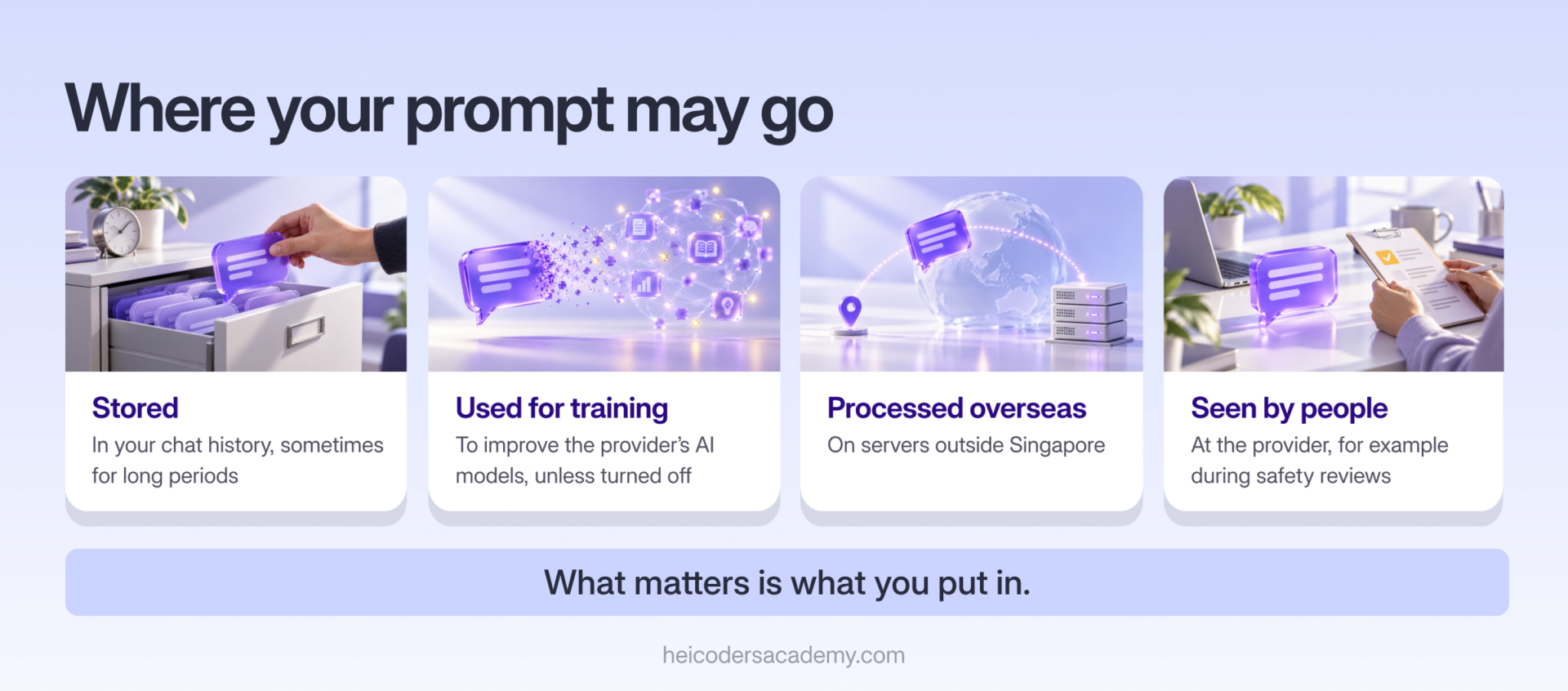
When you type into an AI tool, your words are sent to the provider’s servers to be processed. Depending on the tool and its settings, that information may be:
- Stored in your chat history, sometimes for long periods.
- Used to improve the provider’s AI models, unless you or your organisation have turned this off.
- Processed outside Singapore, on servers in other countries.
- Seen by people at the provider, for example during safety reviews.
None of this means AI tools are unsafe to use. It means the information you put in matters. A request to “make this paragraph clearer” is very different from pasting in a spreadsheet of customer names and phone numbers.
There’s also a growing issue known as shadow AI: employees using AI tools that their organisation hasn’t approved. It usually comes from good intentions, but it can put company and customer data outside the organisation’s control.
What the PDPA Means When You Use AI
The PDPA sets out how organisations in Singapore may collect, use and disclose personal data. Personal data means any information that can identify a person, such as a name, NRIC number, phone number, email address or photo.
The PDPA applies to organisations. As an employee, though, you handle personal data on your organisation’s behalf, so how you use AI tools affects whether your organisation stays compliant. The PDPA also includes offences for individuals who knowingly or recklessly disclose personal data without authorisation.
Here’s how the PDPA’s key obligations apply when you use AI:
| PDPA obligation | What it means when you use AI |
|---|---|
| Consent | Personal data should only be used for purposes people have agreed to. Putting customer data into an AI tool may go beyond what they agreed to. |
| Purpose limitation | Use personal data only for reasonable, stated purposes. Experimenting with real customer data in a personal AI account is unlikely to qualify. |
| Protection | Organisations must make reasonable security arrangements to protect personal data. Unapproved AI tools may not meet those standards. |
| Retention limitation | Personal data shouldn’t be kept longer than needed. Information in AI chat histories may be stored long after you’ve finished with it. |
| Transfer limitation | Personal data sent overseas must be protected to a comparable standard. Many AI tools process data on servers outside Singapore. |
| Accuracy | Organisations must make reasonable efforts to ensure personal data they use is accurate. AI outputs about people can be wrong. |
The stakes are significant. Under the PDPA, organisations can face financial penalties of up to 10% of their annual turnover in Singapore, or S$1 million, whichever is higher. Data breaches can also damage trust with customers and partners.
Singapore’s AI Guidance at a Glance
Singapore has published guidance on using AI responsibly. You don’t need to read it all, but it’s useful to know it exists:
- PDPC Advisory Guidelines on Use of Personal Data in AI Recommendation and Decision Systems (March 2024): explains how the PDPA applies when organisations use personal data in AI systems that make recommendations or decisions.
- PDPC Proposed Advisory Guidelines on Use of Personal Data in Generative AI (June 2026): sets out the PDPC’s proposed expectations for organisations developing or deploying generative AI with personal data. Its public consultation closed in July 2026.
- IMDA Model AI Governance Framework for Generative AI (May 2024): a framework for using generative AI responsibly.
- IMDA Model AI Governance Framework for Agentic AI (first released January 2026): guidance on managing the risks of AI agents that can take actions, such as sending emails or changing files.
The common message across all of them is to be clear about what data AI uses, keep people accountable for AI-assisted work, and put safeguards in place before giving AI more access.
What Not to Put Into AI Tools
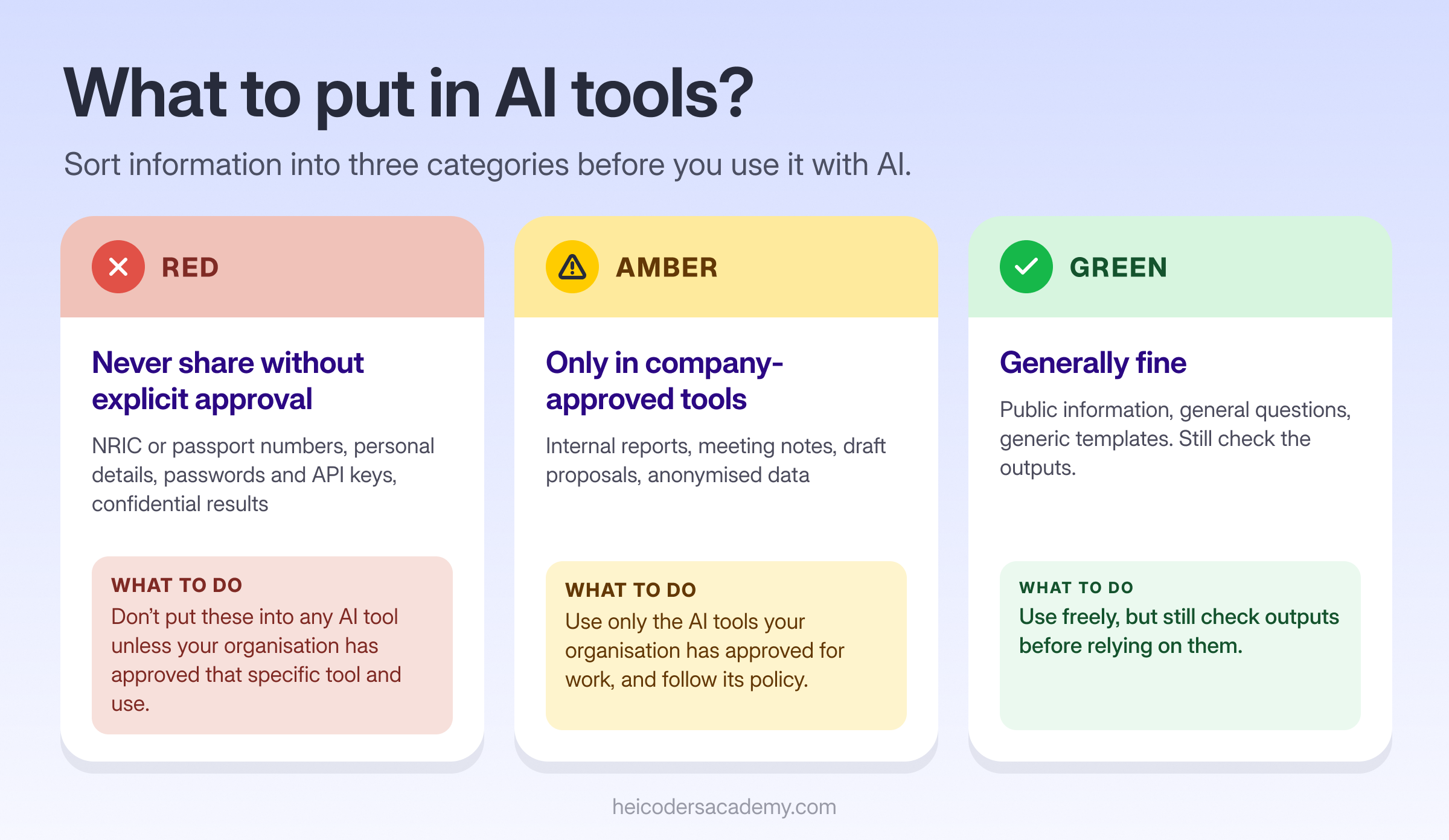
The simplest way to stay safe is to sort information into three categories before you use it with AI.
| Category | Examples | What to do |
|---|---|---|
| Red: never share without explicit approval | NRIC or passport numbers; customer or employee personal details; health, salary or financial details about individuals; passwords, API keys and login details; confidential financial results; unreleased product or deal information; legal documents under negotiation | Don’t put these into any AI tool unless your organisation has approved that specific tool and use |
| Amber: only in company-approved tools | Internal reports, meeting notes, draft proposals, internal process documents and anonymised data | Use only the AI tools your organisation has approved for work, and follow its policy |
| Green: generally fine | Publicly available information, general questions, your own writing with no sensitive details, and generic templates | Use freely, but still check outputs before relying on them |
When you’re unsure, treat information as red until you’ve checked with your manager or Data Protection Officer.
Personal vs Company-Approved AI Tools
Not all AI accounts handle your data the same way. The table below shows the main differences to look out for.
| Personal accounts | Company-approved business or enterprise tools | |
|---|---|---|
| Use of your data to train models | Often allowed by default, unless you turn it off in settings | Typically not used for training, under the business agreement |
| Admin controls | None. You manage your own settings. | IT teams can set rules, manage access and monitor use |
| Data retention | Set by the provider’s consumer terms | Often configurable by the organisation |
| Legal agreements | Standard consumer terms | Business terms, often including data protection commitments |
| Suitable for company data | Generally not | Yes, within your organisation’s policy |
Providers’ terms vary and change, so check the settings and terms of any tool you use. The key rule is simple: use your organisation’s approved tools for work information, and keep personal accounts for personal tasks.
Turning off chat history or model training helps, but it isn’t a substitute for approval. Your organisation may still need its own agreement with the provider before work data can be used.
How to Anonymise Information Before Using AI
Often, you can still get AI’s help with a task by removing anything that identifies people or your organisation. Here’s how:
- Replace names with roles or labels. Use “Client A”, “the HR manager” or “[EMPLOYEE NAME]” instead of real names.
- Remove identifiers. Delete NRIC numbers, phone numbers, email addresses, addresses and account numbers.
- Generalise details. Swap exact figures for ranges or round numbers, and specific dates for general timeframes, where precision isn’t needed.
- Remove context clues. Watch for details that could identify someone indirectly, such as a unique job title or a rare event.
- Check before you send. Read the text once more and ask: could someone work out who or what this is about?
Here’s an example of the difference.
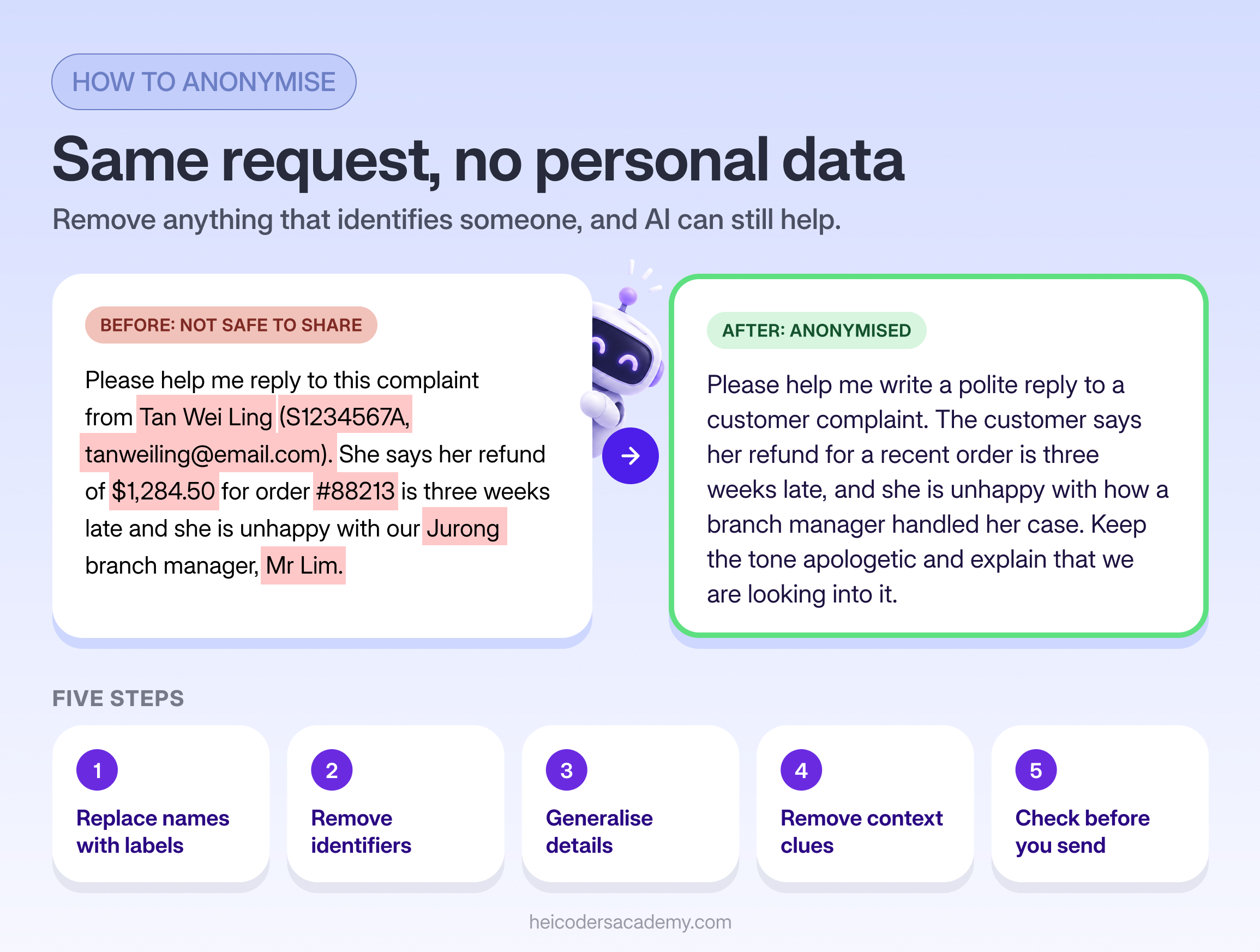
Before (not safe to share):
Please help me reply to this complaint from Tan Wei Ling (S1234567A, tanweiling@email.com). She says her refund of $1,284.50 for order #88213 is three weeks late and she is unhappy with our Jurong branch manager, Mr Lim.
After (anonymised):
Please help me write a polite reply to a customer complaint. The customer says her refund for a recent order is three weeks late, and she is unhappy with how a branch manager handled her case. Keep the tone apologetic and explain that we are looking into it.
The anonymised version gives the AI everything it needs to write a good reply, without exposing anyone’s personal data. All names and details in the example are fictional.
Take Extra Care With AI Agents
AI agents can do more than answer questions. They can read your emails, open files, browse the web and take actions on your behalf. That’s useful, but it raises the stakes, because a mistake can be carried out rather than just written down.
Before you connect an AI agent to work accounts:
- Get approval first. Check that your organisation allows the agent and the connections you plan to give it.
- Give the least access possible. Connect only the apps and files the task needs.
- Lock down risky actions. Restrict what the agent can do without your review, such as sending emails to people outside the organisation.
- Review what it did. Check activity logs regularly, especially at the start.
IMDA’s Model AI Governance Framework for Agentic AI reflects the same thinking: agents should operate within clear limits, with people accountable for what they do. If you’re building or using agents, our tutorial on building your first AI agent in n8n and our Manus AI guide for professionals both include practical safety tips.
Check AI Outputs Before You Use Them
Safe AI use isn’t only about what you put in. It’s also about what you take out. AI tools can produce answers that sound confident but are wrong, a problem known as hallucination. They can also reflect biases in the data they were trained on.
Before you use or share AI-generated work, check:
- Facts and figures: confirm them against a reliable source.
- Information about people: never rely on AI for facts about a specific person without checking.
- Sources and citations: make sure any sources the AI mentions actually exist and say what it claims.
- Tone and fairness: read the output for assumptions or language you wouldn’t want attributed to your organisation.
You remain responsible for any work you share, whether or not AI helped produce it.
A 10-Point Checklist for Using AI Safely at Work
Keep this checklist handy:
- Use only AI tools your organisation has approved for work.
- Read and follow your organisation’s AI policy.
- Never enter NRIC numbers, passwords or other login details.
- Keep customer and employee personal data out of AI tools unless the tool and use are approved.
- Anonymise information before using it with AI.
- Check your tool’s privacy settings, including chat history and model training.
- Give AI agents only the access they need.
- Verify facts, figures and sources before using AI outputs.
- Stay accountable: review AI-assisted work as carefully as your own.
- Ask your manager or Data Protection Officer when you’re unsure.
What to Do If You’ve Shared Something You Shouldn’t
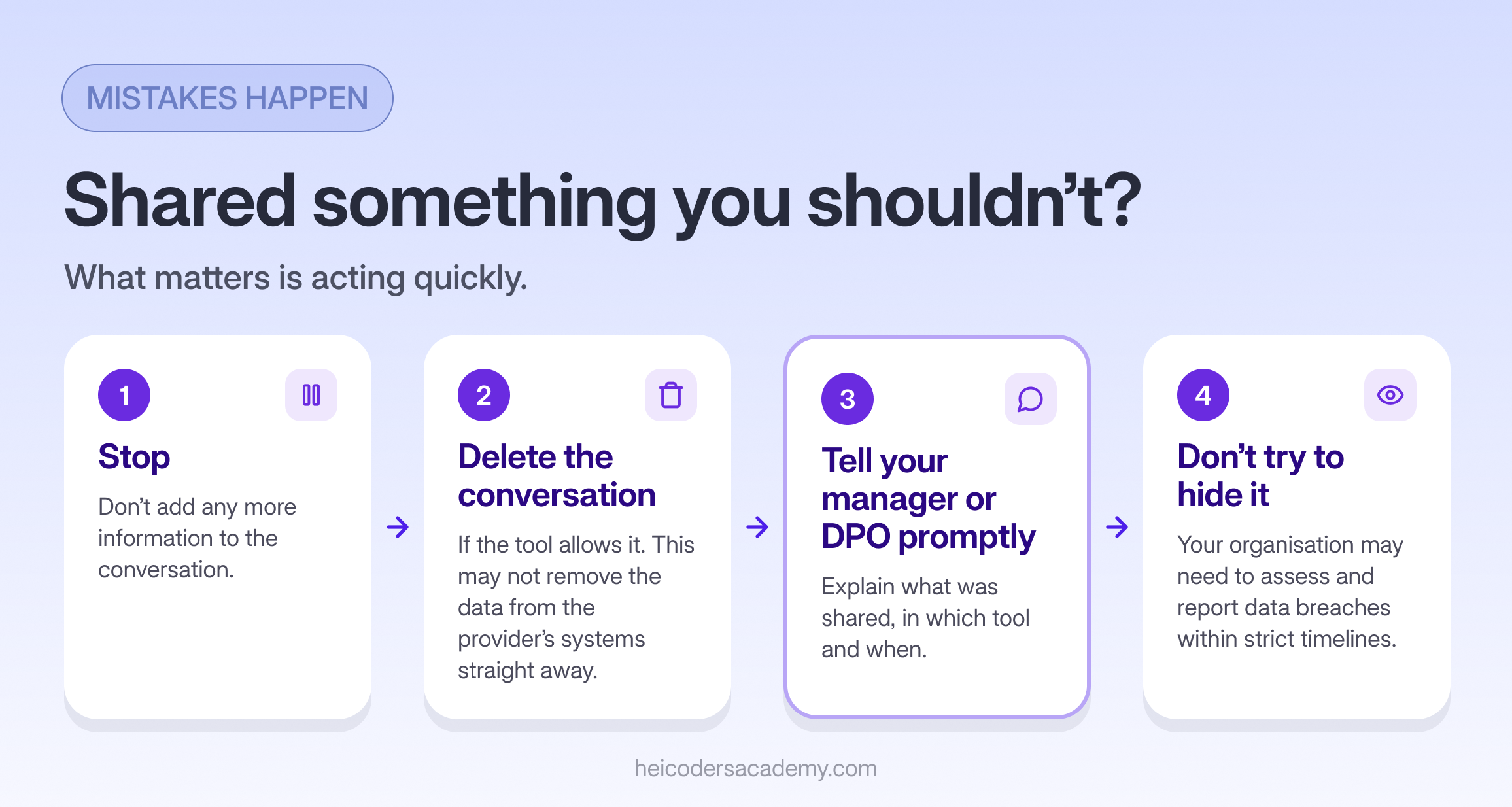
Mistakes happen. What matters is acting quickly:
- Stop. Don’t add any more information to the conversation.
- Delete the conversation from your chat history, if the tool allows it. Bear in mind this may not remove the data from the provider’s systems straight away.
- Tell your manager or Data Protection Officer promptly. Explain what was shared, in which tool and when.
- Don’t try to hide it. Your organisation may have legal obligations to assess and report data breaches within strict timelines, so early reporting helps everyone.
For Managers: Setting Up Safe AI Use in Your Team
If you lead a team, you can make safe AI use much easier:
- Agree which tools are approved, and make sure your team can access them.
- Share a short, practical AI policy, covering approved tools, data rules and when outputs need review.
- Train your team on both how to use AI well and how to use it safely.
- Encourage questions, so people check rather than guess.
Our guide on how to plan AI training for your team covers how to set these guardrails as part of a wider training plan.
Frequently Asked Questions About Using AI Safely at Work
Is it illegal to use ChatGPT at work in Singapore?
No. Using AI tools at work isn't illegal. You do need to follow your organisation's policies, and your organisation must still comply with the PDPA when personal data is involved. Use approved tools and keep personal data out unless the use is approved.
Can I put client names into ChatGPT?
It's best not to, unless your organisation has approved that tool and that use. Replace names and other identifiers with labels such as “Client A” before asking AI for help.
Does the PDPA apply to AI tools?
The PDPA applies to how organisations collect, use and disclose personal data, including when that happens through AI tools. If you use personal data with AI as part of your job, the PDPA's obligations apply.
Is turning off chat history enough to keep data safe?
It helps, but it isn't enough on its own. Your organisation may still need a proper agreement with the provider before work data can be used. Sensitive information should stay out of personal accounts altogether.
What is shadow AI?
Shadow AI is the use of AI tools at work without the organisation's approval or oversight. It can put company and customer data at risk, even when the intentions behind it are good.
Who should I ask about AI and data privacy at work?
Start with your manager or your organisation's Data Protection Officer. Organisations in Singapore are required to appoint at least one person responsible for PDPA compliance.
Use AI Confidently and Safely
AI can save you real time at work, and using it safely doesn’t mean using it less. It means knowing what to share, what to anonymise and what to check, so you can use AI with confidence.
Using AI responsibly is a skill, and like any skill, it improves with structured practice. Heicoders Academy’s Generative AI for Automation and Productivity course (GA100) is designed for working professionals in Singapore who want to apply AI practically, including a lesson on spotting and managing AI risks such as hallucinations, bias and security issues. Explore the GA100 Generative AI Course and build AI skills you can use with confidence.
Sources
- Personal Data Protection Commission (PDPC), Personal Data Protection Act overview
- PDPC, Advisory Guidelines on Use of Personal Data in AI Recommendation and Decision Systems (March 2024)
- PDPC, Proposed Advisory Guidelines on Use of Personal Data in Generative AI (July 2026)
- IMDA, Model AI Governance Framework for Agentic AI (2026)
- IMDA, Singapore Digital Economy Report 2026