Last updated: 26 November 2026
You’ve watched a dozen AI videos this month. You have a folder of saved tutorials and a few prompts that work. Yet when you sit down to use AI on a real task at work, you’re still not sure whether you’re doing it well.
That’s a common place to be. Around 86% of workers in Singapore use AI at work, but only 37% attended AI-related training in the past year (IMDA, Singapore Digital Economy Report, 2026), so many people are working things out on their own. The question is whether that’s enough, or whether a structured course would take you further.
This guide compares the two honestly. You’ll see what each does well, where each falls short, when teaching yourself is a perfectly good choice, and how to combine them.
A note on transparency: Heicoders Academy runs AI courses, so we have an interest in this question. We’ve aimed to be fair, because for many people YouTube is a good place to start.
The Short Answer
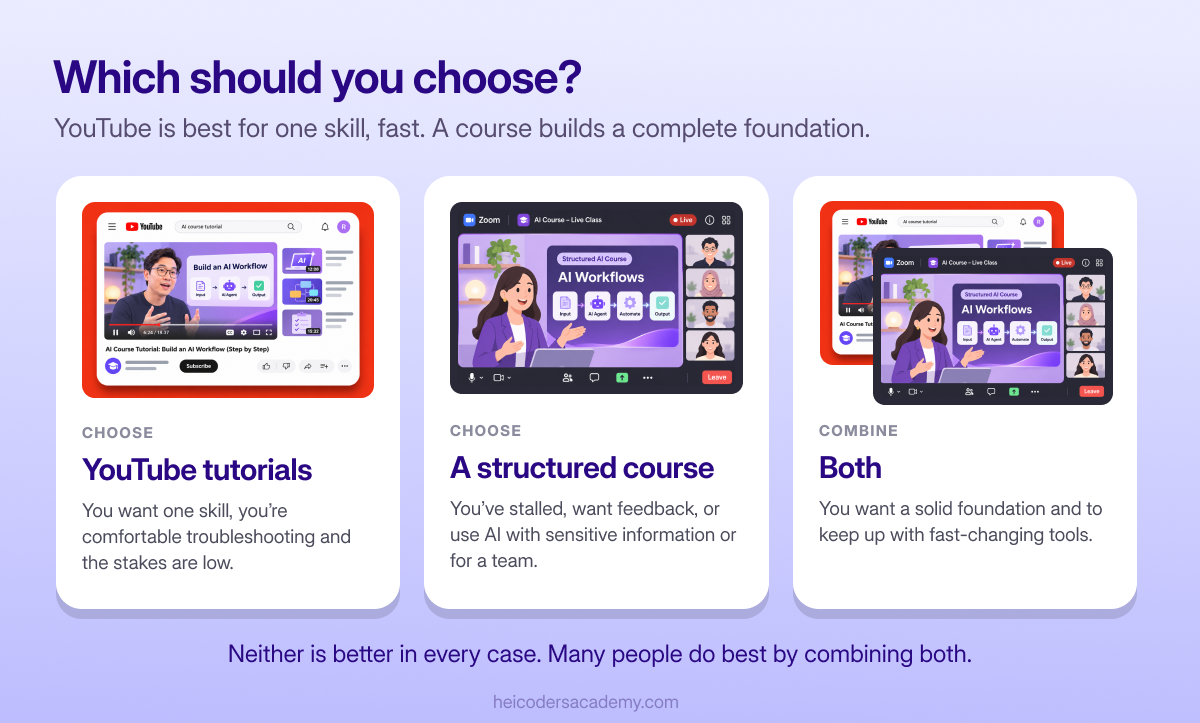
YouTube tutorials are best for learning a specific tool or technique quickly. A structured course is best for building a complete foundation, with practice and feedback. Many people do best by combining both.
- Choose YouTube tutorials if you want one skill, you’re comfortable troubleshooting and the stakes are low.
- Choose a structured course if you’ve stalled, want feedback, or use AI with sensitive information or on behalf of a team.
- Combine both if you want a solid foundation and also want to keep up with fast-changing tools.
Side-by-Side Comparison

The table below compares the two across the points that matter most for work.
| YouTube tutorials | Structured course | |
|---|---|---|
| Cost | Free to watch, though your time still counts. Some creators sell templates or paid communities. | Involves a fee. Check the full fee on the provider’s official course listing. |
| Structure | You choose the order. There’s no built-in path from beginner to confident. | A planned sequence where each lesson builds on the last. |
| Staying current | Often the fastest to cover new tools and features, though older videos can show outdated screens. | Depends on the provider. Good courses update regularly, so ask how often. |
| Practice on your own work | Depends on you. Most viewers watch rather than do. | Usually built in, through exercises and projects. |
| Feedback | None, apart from comments. | Instructors can review your work and correct habits early. |
| Accountability | Self-driven, so it’s easy to stop. | Fixed sessions and fellow learners keep you moving. |
| Depth and gaps | Great for specific techniques. Hard to know what you haven’t learned. | Designed to cover the fundamentals, including risks and safe use. |
| Quality control | Varies widely between creators. | Varies between providers. Check the syllabus and instructors. |
| Flexibility | Watch anywhere, at any time and at any speed. | Fixed schedules or deadlines, depending on the format. |
| Proof of learning | None. | Assessed courses can give a certificate. |
What YouTube Tutorials Do Well
- They’re easy to start. There’s no fee to watch, so you can test whether AI is useful for your work before committing anything else.
- They show you the screen. Watching someone click through a tool is often clearer than reading instructions.
- They move fast. New features are often covered within days of release.
- They offer many perspectives. You can see how different people approach the same task.
- They fit around your day. You can pause, rewind and watch in short bursts.
Where YouTube Tutorials Fall Short
- There’s no path. It’s hard to tell what to learn next, and harder to know what you’re missing.
- Watching isn’t doing. It’s easy to feel you understand something after watching someone else do it, then get stuck when you try it yourself.
- Videos date quickly. AI tools change often, so a tutorial can show screens or features that no longer exist. Always check the upload date.
- Risks get less airtime. Videos tend to focus on what’s impressive. Data privacy, accuracy checks and approved tools get less attention. Our guide to using AI safely at work covers those.
- Nobody reviews your work. You can’t easily tell whether your prompts are good, or just good enough.
- Some videos are promotional. Some are sponsored, or earn the creator a commission. Look for disclosures.
What a Structured Course Does Well
- A planned sequence. Each lesson builds on the last, so you don’t have to work out the order yourself.
- Practice on real tasks. Good courses have you apply each idea to your own work, not just watch a demonstration.
- Feedback. An instructor can see where you’re stuck and correct habits before they set.
- Accountability. Fixed sessions and fellow learners make it harder to stop halfway.
- The unglamorous parts. Checking outputs, protecting data and managing risk are taught on purpose, not left to chance.
- A shared language for teams. When colleagues learn together, they agree on terms and standards. Our guide on how to plan AI training for your team covers this in more detail.
- A record of completion. Assessed courses can give you a certificate. It shows you completed assessed training, and it doesn’t guarantee any job or pay outcome.
Where a Structured Course Falls Short
- It costs money. You’ll need to weigh the fee against what you hope to gain.
- It needs time on a schedule. Fixed sessions can be hard to fit around a busy role.
- The pace may not suit you. It can feel too fast or too slow, depending on your starting point.
- Quality varies. Some courses are mostly slides, some are out of date, and some oversell what they deliver. Be wary of any provider that promises a job or a pay rise. No course can guarantee that, and the marketing rules for registered training providers in Singapore don’t allow it.
- You may not need all of it. If you only want to learn one feature, a full course may be more than the job needs.
When Teaching Yourself Is Enough
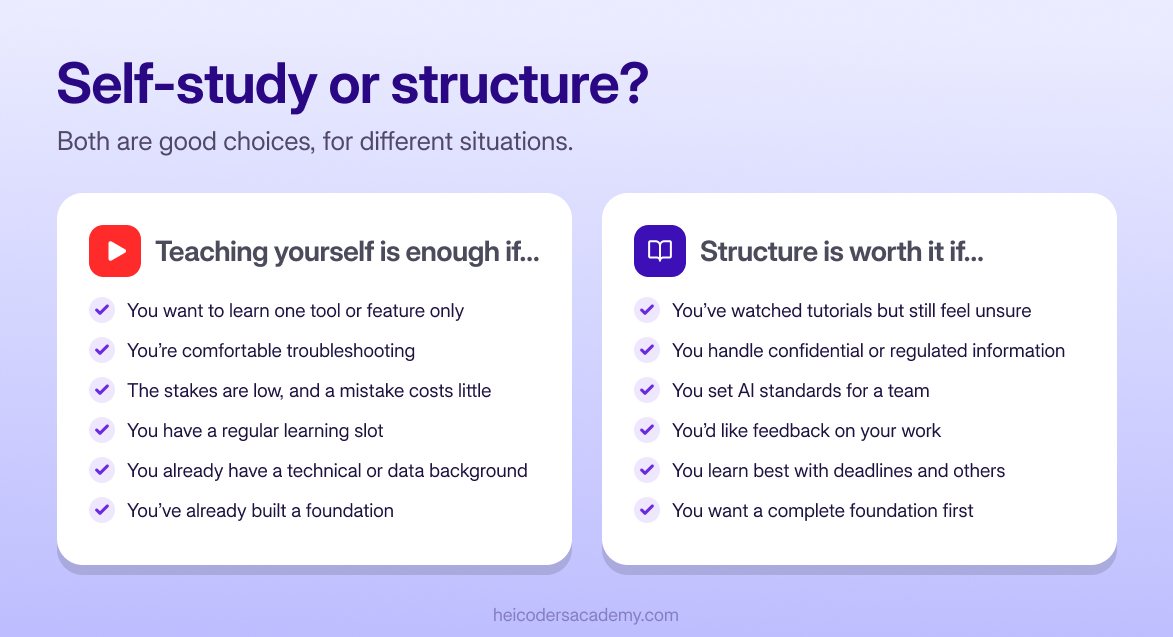
Self-study can be all you need if:
- You want to learn one tool or feature, not build a full foundation.
- You’re comfortable troubleshooting and looking things up.
- The stakes are low, such as personal projects or tasks where a mistake costs little.
- You have a regular learning slot and the discipline to keep it.
- You already have a technical or data background and just need to catch up on a new tool.
- You’ve already built a solid foundation and want to keep up with changes.
When Structure Is Worth It
A structured course is worth considering if:
- You’ve watched plenty of tutorials but still don’t feel confident using AI on your own work.
- Your work involves confidential, personal or regulated information, so safe-use habits matter.
- You manage others and need to set standards for how your team uses AI.
- You’d like feedback on your prompts, workflows or projects.
- You learn better with deadlines and other people.
- You want a complete foundation before you specialise.
How to Get More From YouTube Tutorials
If you’re going the self-study route, these habits make a real difference:
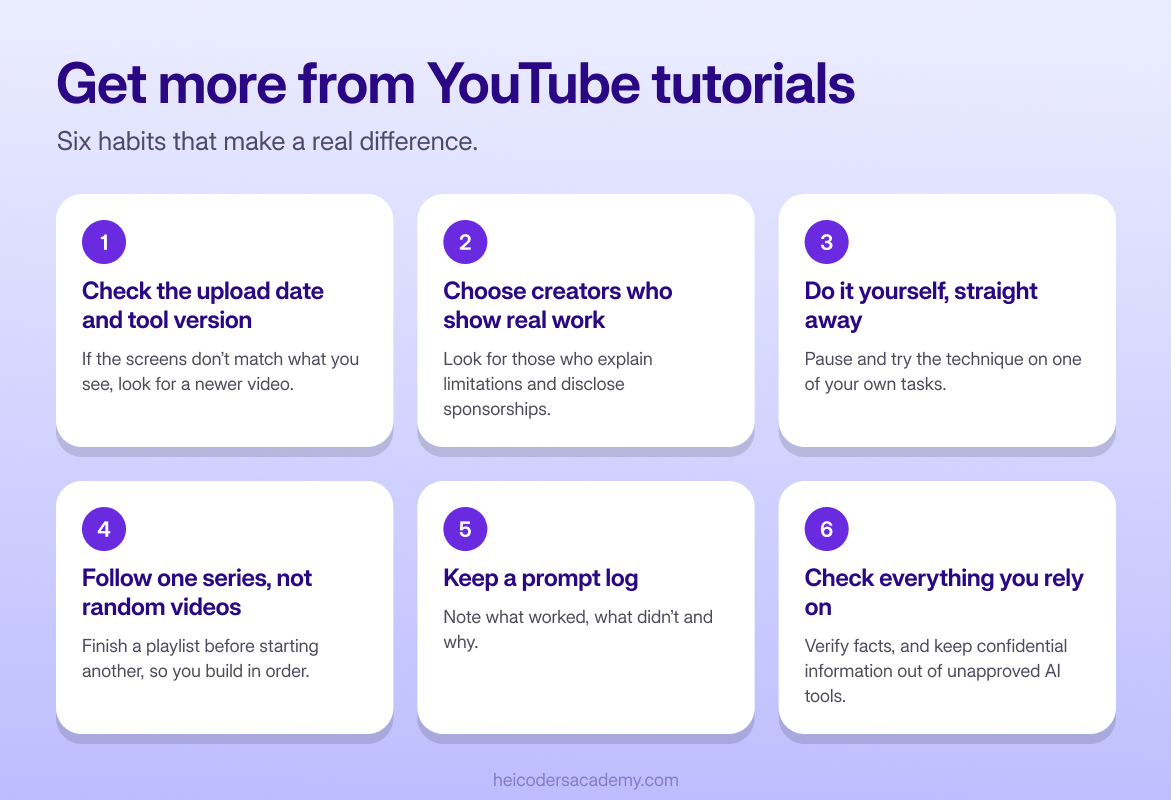
- Check the upload date and the tool version. If the screens don’t match what you see, look for a newer video.
- Choose creators who show real work. Look for those who explain limitations and disclose sponsorships.
- Do it yourself, straight away. Pause the video and try the technique on one of your own tasks, instead of watching passively.
- Follow one series, not random videos. Finish a playlist before starting another, so you build in a sensible order.
- Keep a prompt log. Note what worked, what didn’t and why.
- Check everything you rely on. Verify facts, and keep confidential information out of AI tools unless your organisation has approved them.
If you’d like a hands-on starting point you can follow at your own pace, our tutorial on building your first AI agent in n8n takes you through it step by step.
What to Look for in a Structured Course
Not every course is worth your time. Before you commit, check for:
- A published syllabus, lesson by lesson. For an example of what that looks like, see what you build in each lesson of a generative AI course.
- Practice on your own tasks, not just demonstrations.
- Instructors who use AI in their own work.
- Clear assessment and requirements, and an official course listing that shows the reference number, fees, duration and mode of training.
- Regular updates and support after class.
- Honest claims, with no promises of jobs or pay.
Our guide to checking an AI course before you pay goes into more detail.
A Simple Hybrid Plan
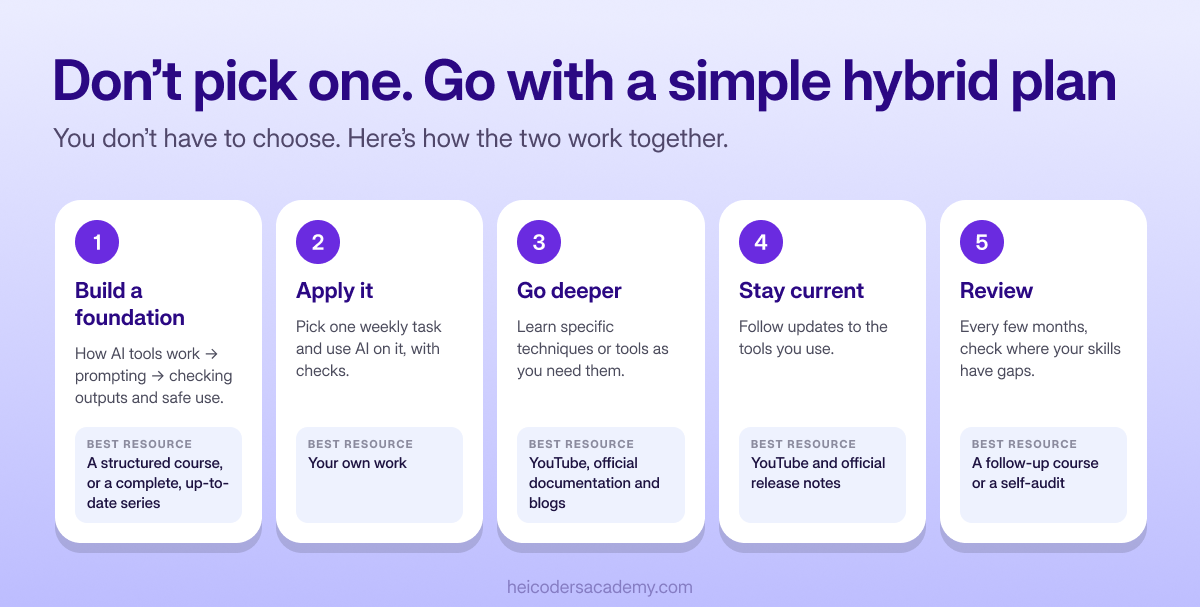
You don’t have to choose one or the other. Here’s how the two can work together:
| Step | What to do | Best resource |
|---|---|---|
| 1. Build a foundation | Learn the fundamentals in a planned sequence: how AI tools work, prompting, checking outputs and safe use | A structured course, or a complete, up-to-date series if you’re teaching yourself |
| 2. Apply it | Pick one weekly task and use AI on it, with checks | Your own work |
| 3. Go deeper | Learn specific techniques or tools as you need them | YouTube, official documentation and blogs |
| 4. Stay current | Follow updates to the tools you use | YouTube and official release notes |
| 5. Review | Every few months, check where your skills have gaps | A follow-up course or a self-audit |
Frequently Asked Questions About Learning AI
Can I learn AI on YouTube?
Yes. YouTube is a good place to learn specific tools and techniques, and to see how others use them. It works best alongside practice on your own tasks. It's weaker at giving you a complete, ordered foundation and feedback on your work.
Is an AI course worth it?
It depends on your goal. A structured course is most useful if you want a complete foundation, practice with feedback and coverage of risks and safe use. If you only need one skill, self-study may be enough.
Are YouTube AI tutorials reliable?
Quality varies widely. Check the upload date, whether the creator shows real work and explains limitations, and whether sponsorships are disclosed. Always verify facts before using anything from a tutorial at work.
How do I know if an AI course is good?
Look for a published syllabus, hands-on practice on your own tasks, instructors who use AI in their own work, clear assessment requirements and an official course listing. Be wary of any provider that promises a job or a pay rise.
Can I use both YouTube and a course?
Yes, and many people do. A course can give you a foundation and feedback, while YouTube helps you learn specific techniques and keep up with new features.
Do I need a certificate to use AI at work?
No. You don't need a certificate to use AI tools. A certificate shows you've completed assessed training, but it doesn't guarantee any job or pay outcome.
Choose the Method That Fits Your Goal
Neither option is better in every case. If you want a specific technique, a good tutorial may be all you need. If you want a complete, practical foundation with feedback, structure helps.
Building practical AI skills is a skill in itself, and like any skill, it improves with structured practice and the right guidance. Heicoders Academy’s Generative AI for Automation and Productivity course (GA100) is designed for working professionals in Singapore who want to apply AI practically across their role, with six hands-on lessons that take you from prompt engineering to AI agents and workflow automation, and end with a capstone project. Explore the GA100 Generative AI Course and see whether structured, hands-on learning suits you.
Course details: GA100 runs for 18 hours over six lessons, in a classroom or live online. Course reference numbers: TGS-2025055033 (online) and TGS-2025057662 (classroom).
Sources
- IMDA, Singapore Digital Economy Report 2026 (5 October 2026)